Every AI browser so far, including this one, has been built around a single shape: you ask, it answers. You type a question, a page comes back, and then it goes quiet and waits for the next question. It's reactive. It only exists in the moment you're looking at it.
That's not how the useful things in your life work. The useful things keep going when you're not watching — the assistant who notices the flight got cheaper, the colleague who flags the release notes the moment they drop. What makes them valuable isn't that they answer fast. It's that you can hand them a job and stop thinking about it.
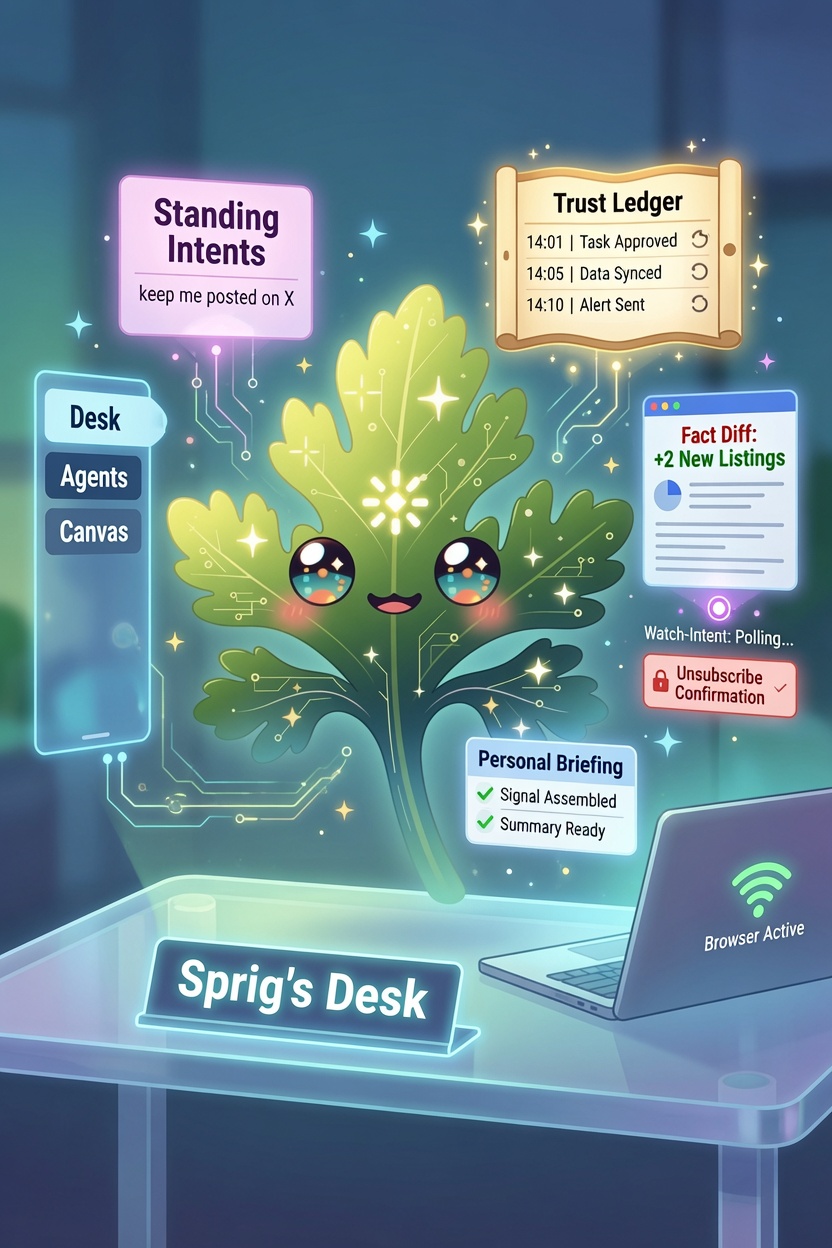
So this release is about delegation. You give Sprig an ongoing goal, in a sentence, and he keeps at it in the background — checking, composing, comparing — and only interrupts you when something actually changed. Everything he does on his own goes into a record you can read and undo. It all lives in one place, a new home base I've called 🗓 Sprig's Desk.
I want to be careful about the claim here, because "agentic" is the most over-sold word in software right now. Chervil isn't doing anything a frontier model can't do. What's different is the combination, and it's a combination nothing else quite has: this is persistent (you delegate a standing goal, not a one-off prompt), proactive (it acts on a schedule and tells you), local (it runs on your machine, not a cloud that watches your account), and auditable (you can see and reverse everything it did). Take any one of those away and it's a different, lesser thing. The cloud "agents" can't be local. The chatbots can't be persistent. That's the gap this fills.
Standing Intents — delegate a goal, not a question
Here's the whole feature in one line you type into the omnibox:
keep me posted on the Electron 40 release
Sprig turns that into a standing intent — an ongoing goal he owns. He composes a fresh, cited briefing on the topic, and then keeps it current on whatever cadence you pick, from hourly to weekly. It shows up on Sprig's Desk with its last update, and you can open it, refresh it now, pause it, or delete it.
That's the reframe I care about. Every other feature in Chervil answers a question you're asking right now. This is the first one that answers a question you'll have next week, without you having to remember to ask it.
You can hand him a topic — the James Webb telescope, AI regulation in the EU, my industry's layoffs — or, as of this release, a page (more on that below).
It only tells you when something actually changed
This is the part I rewrote three times, and it's the part that makes the feature usable instead of annoying.
The naive version is easy: re-compose the briefing on a schedule, and ping you each time. The problem is that a re-composed page is always different. The model rewords a sentence, reorders a paragraph, picks a slightly different example — and if you're comparing the text, "this changed!" is true every single run and means nothing. You'd get a notification every hour that, when you opened it, showed you basically the same thing. That's how people learn to turn notifications off.
So Chervil doesn't compare the text. It compares the figures. Between one run and the next it pulls out the numbers, prices, dates, and percentages, pairs them up, and only counts it as a change if one of them actually moved:
starting price $1,999 → $1,799
If nothing measurable shifted — if the model just reworded things — Sprig stays quiet. The first run pings you, so you know the goal is live and can see the baseline. After that, silence means nothing changed, which is exactly the signal you want a background worker to send. (Chervil's living pages learned this same trick in 0.25.0; here it's driving what does and doesn't earn an interruption.)
Watch a page, as a standing goal
Once a goal can be about a topic, the obvious next question is: what if the goal is about a specific page? So point one at a URL:
keep me posted on example.com/pricing until it drops below $50
Now it's a watch — Sprig polls that page on a schedule and tells you when the price drops, the item's back in stock, or the docs change. The condition is optional; leave it off and he tells you about any meaningful change.
If you used Chervil's old Page Watchers, this will feel familiar — because it is that, absorbed into the new model. Watching a page is no longer a separate list with its own panel; it's just a standing goal that happens to point at a URL. Everything Sprig keeps an eye on — topics and pages both — now lives in one place instead of two. Your existing watchers were migrated automatically. You don't have to recreate anything, and I wrote the migration to be safe across machines: if you sync Chervil, a watcher can't get converted twice into two copies.
The Trust Ledger — see everything he did while you were away
If you're going to let an agent act on its own, the single most important feature isn't capability. It's visibility. An agent you can't see is one you can't trust, and "trust me" is not a thing a browser gets to say.
So everything Sprig does on his own now lands in the Trust Ledger: every goal refresh, every page he watched and what changed, every action he took on a live site. Each entry is in plain language, newest first, and — this is the part that matters — anything reversible carries a one-click undo.
The Ledger also swallowed the old agent activity log. Live-site agent steps used to live in a separate panel in Agents; now the background goal refreshes and the live-site actions are in one stream, because "what has Sprig done for me" should have exactly one answer, not two.
"My briefing" — your web, on one page
With standing goals producing updates, watches catching changes, and your feeds pulling in the background, there's suddenly a lot Sprig knows that you haven't looked at. So ask for it:
my briefing — or — catch me up
Chervil assembles a single page from your own signals: what your standing goals turned up, what changed, and the latest from your feeds, grouped and linked. I built this one to assemble deterministically — from your actual records, not by asking a model to summarize them — so it's instant, it's private, and it can't invent an update that didn't happen. It's the front page of your own web, and it's different every morning because your web is.
Unsubscribe, done for you
A small, concrete piece of "Sprig does things," and a good test of the trust model. Tell Chervil:
unsubscribe me from <that newsletter>
Off a website, that finds the matching feed and removes it — with an undo waiting in the Ledger in case you didn't mean it. On an actual website, Sprig drives the page's own unsubscribe or email-preferences flow: he plans it, works through it, and stops to ask before the final, irreversible click. Whatever happens is logged. It's the whole philosophy in miniature — act on your behalf, but never past the point of no return without your say-so, and always leave a record.
The Desk, Agents, and the canvas are real tabs now
The features above needed a home, and building it meant finishing a change I'd been putting off. The Desk, the Agents manager, and the Thinking canvas used to be floating pop-up panels — modal overlays that darkened the page behind them. That's fine for a dialog; it's wrong for a place you live in.
They're proper Chervil tabs now, exactly like Settings and the Library became: they open in the tab strip, they have a left-hand rail of sections you can navigate, back and forward work, Escape closes them the way you'd expect. Sprig's Desk has Standing goals, Schedules, and the Trust Ledger as sections in that rail. It reads like part of the browser instead of a thing that pops up over it.
Fixed
Right-clicking a source link in chat copied a file path. When Sprig searches the web in a chat and lists its sources underneath, right-clicking one to copy or open it handed you file:///…/index.html# — the app's own location — instead of the actual source URL. The links were pointing at nothing. They carry the real address now, and the right-click menu also offers to open the source in a new Chervil tab.
Ticking a toolbar button that wasn't already on the bar did nothing. In Settings, the Toolbar buttons list lets you pin optional buttons to the top bar. But ticking one that defaults to the ⋯ menu — Map, Desk, Agents — silently snapped back, because of a bug in how the choice was stored (it reset to the default instead of recording your click). Now ticking any button puts it on the bar and unticking moves it to the ⋯ menu, uniformly, the way the label always promised.
Get it
Chervil 0.26.0 is on the download page. If you already have it, it updates itself.
The through-line, looking back at it: everything here is about the browser doing something while you're not looking, and being honest with you about it afterward. That second half is the hard half. It's easy to build an agent that goes off and does things. It's much harder to build one that comes back and shows you exactly what it did, quietly declines to interrupt you when nothing happened, and hands you an undo button for the things you'd want to take back. But that's the only version of a background agent I'd actually leave running — and now I do.